BUILT FOR SUPPLIERS
See exactly how TenderLog works for suppliers
Real screenshots from a supplier's own TenderLog -- every order logged, tracked from New PO to Delivered, with deadlines and client history always up to date. (Sample data shown throughout.)
INSIDE TENDERLOG
Six workspaces. One place to run every order.
From the moment an order lands on your desk to the day it's delivered -- every step, every client, every deadline lives here.
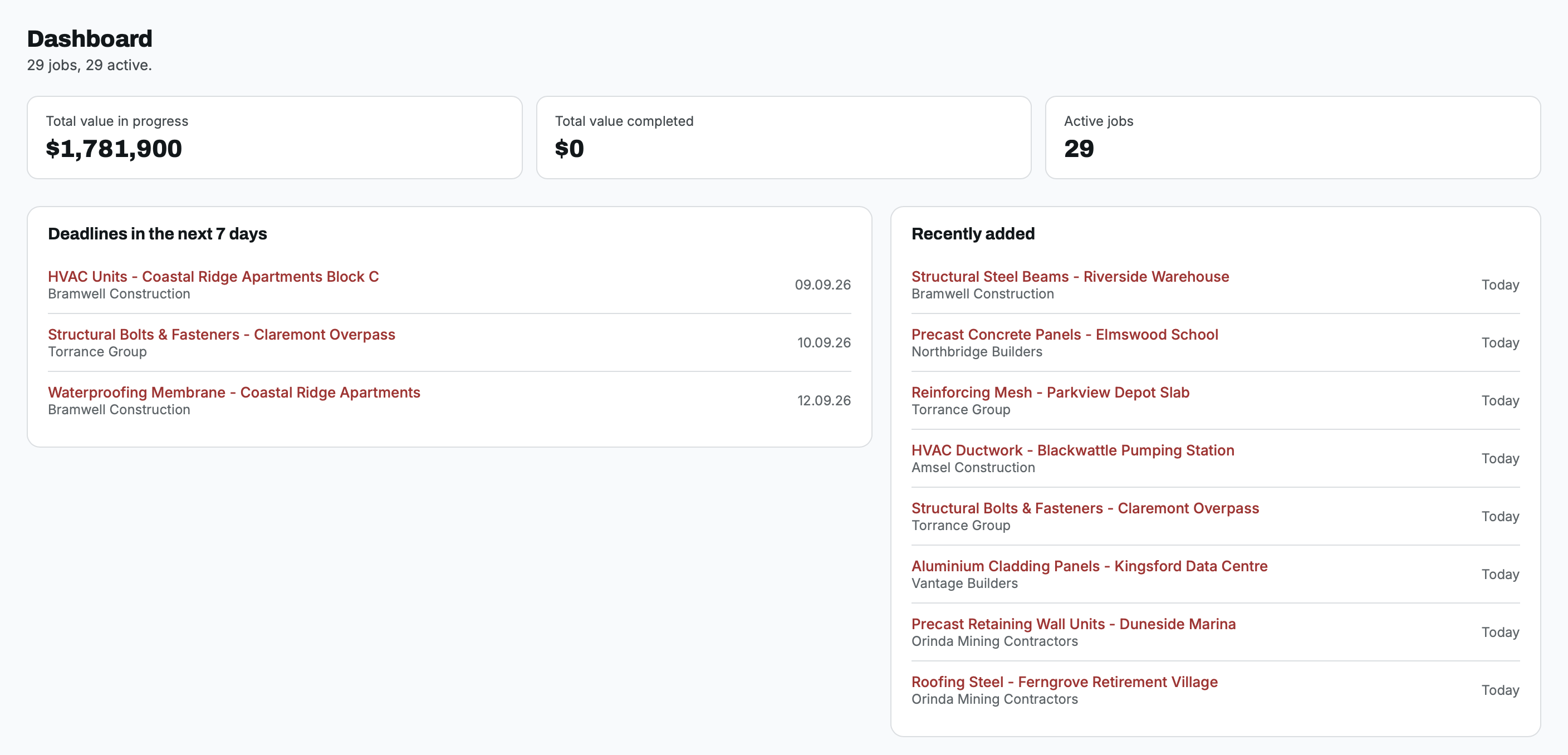
01 Dashboard
Open TenderLog and see, in seconds, exactly where things stand -- total value currently in progress, total value completed, and how many jobs are active right now.
- Total value in progress and total value completed, at a glance
- Deadlines in the next 7 days, so nothing is finished late
- Recently added jobs, and a one-click year filter to scope the whole app to this year or all time
- Active job count, updated the moment anything changes
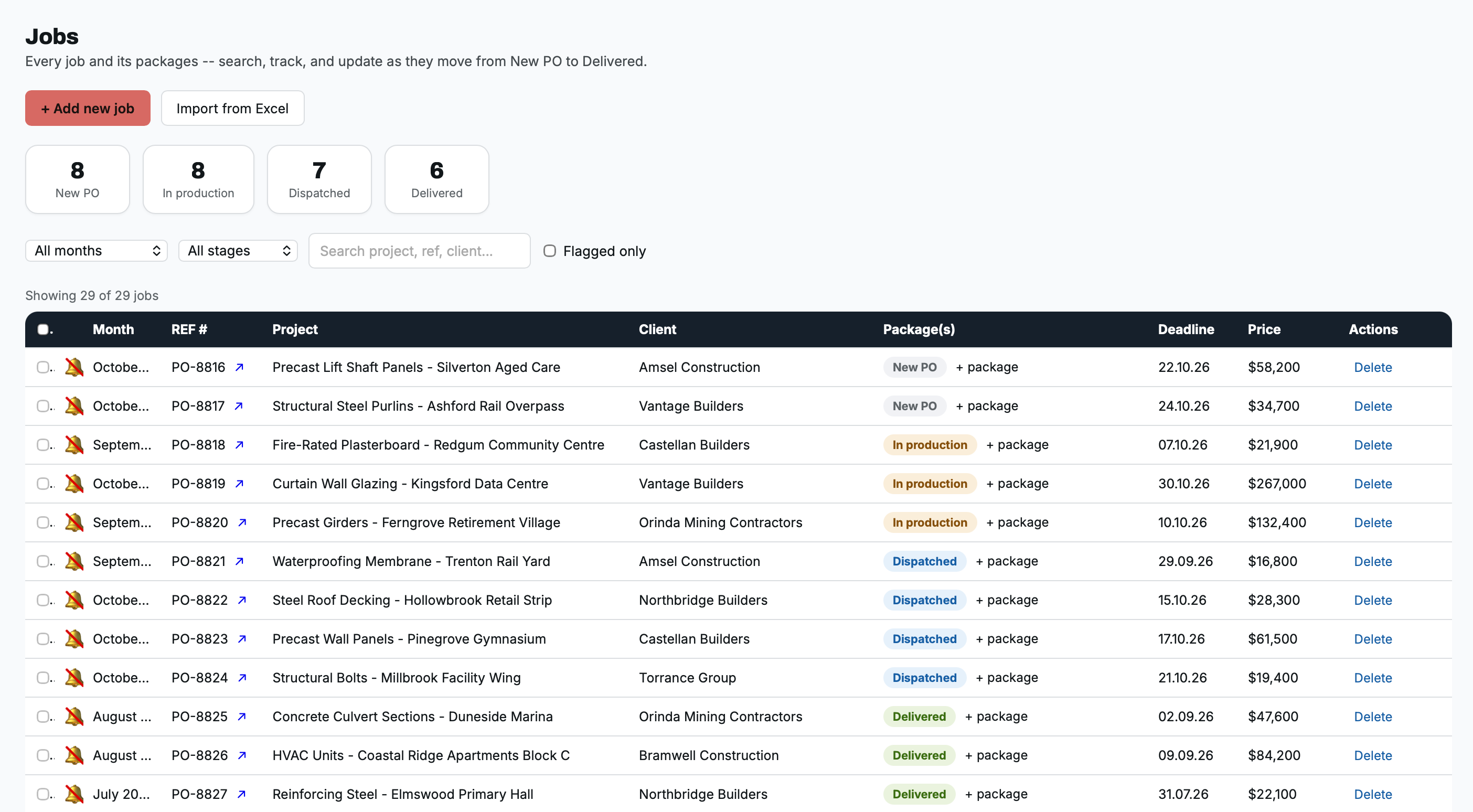
02 Jobs
The table where every order actually gets created and edited -- sortable, with quick status cards across the top that double as one-click filters. Each job can carry several packages, each moving through its own stage from New PO to Delivered. Click any row to open the full job page.
FIELDS TRACKED PER JOB
Project name & REF #
Month / sheet
Client
Package(s) & stage
Job value
Deadline
Client contacts
Internal tasks & activity log
SEARCH & FILTER BY
Month
Stage
Free-text: project, REF, or client
Flagged only
One-click by status card
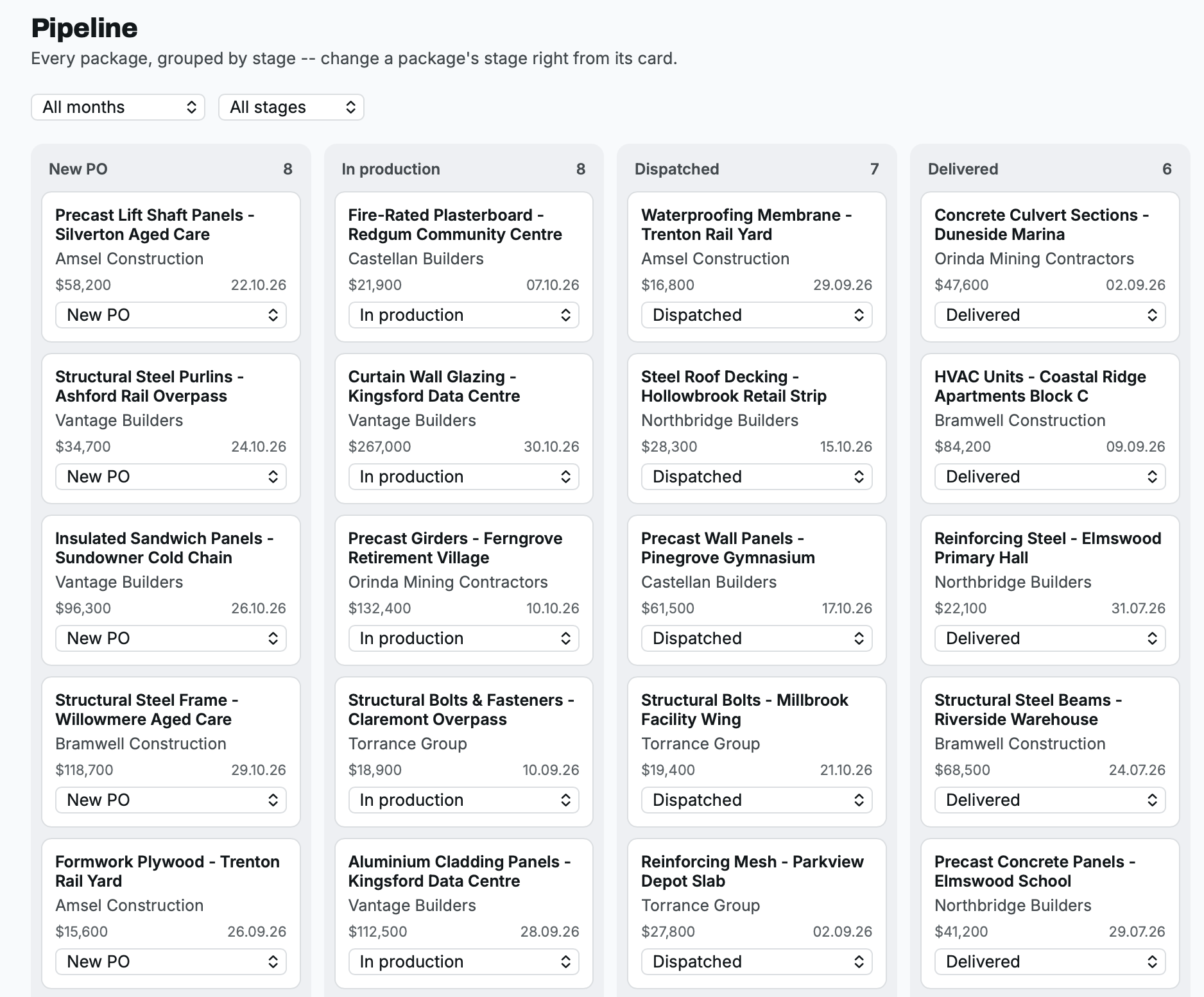
03 Pipeline
Every package laid out across a fixed, four-stage delivery pipeline -- New PO, In production, Dispatched, Delivered. Change a package's stage right from its card; click a card to jump straight to its full job page.
SEARCH & FILTER BY
Month
Stage
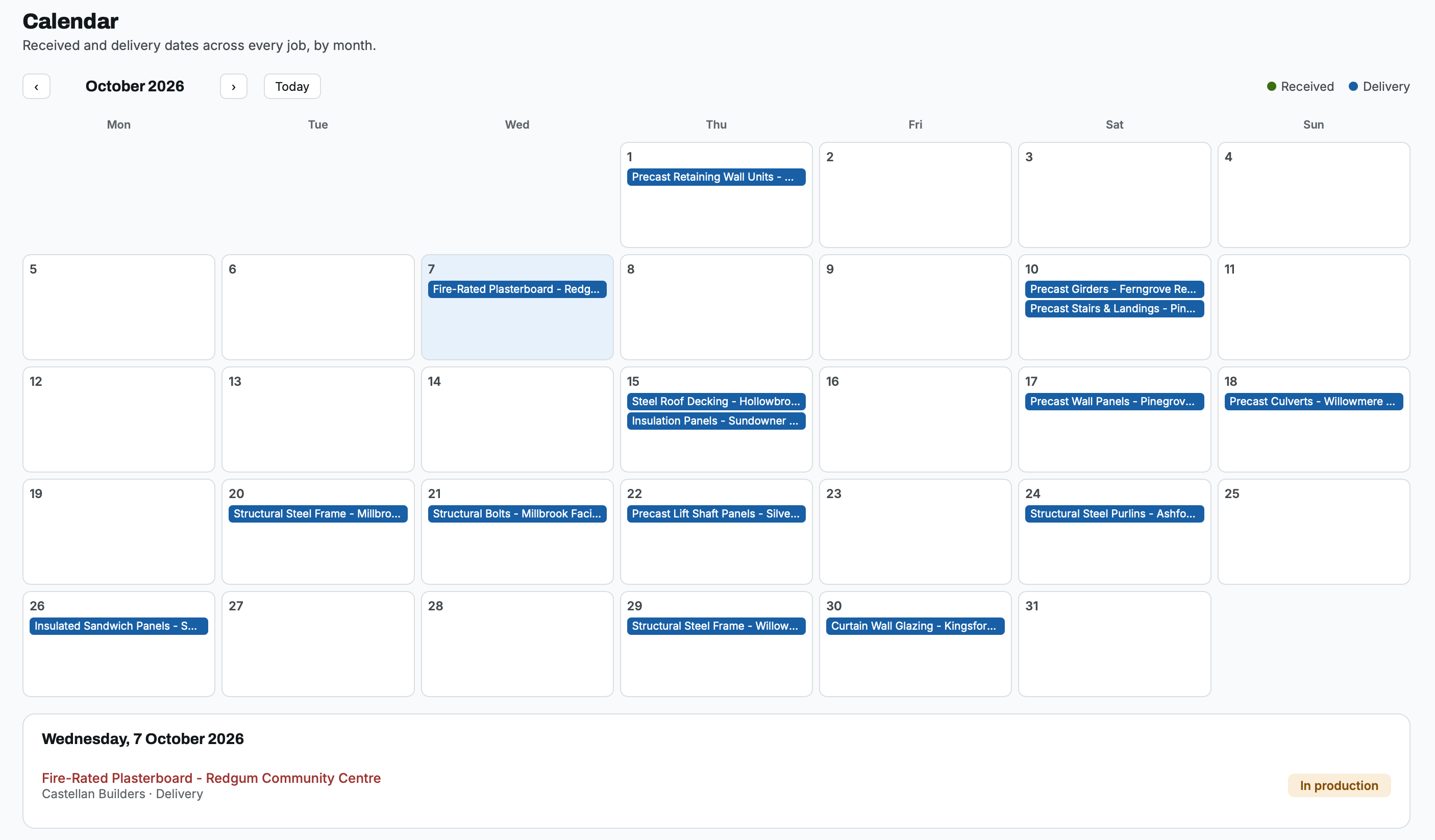
04 Calendar
A month grid showing every order's received and delivery dates at once, colour-coded so the two are never confused. Click any day to see exactly which orders land on it.
WHAT IT SHOWS
Received dates
Delivery dates
Scoped to the month in view
05 Clients
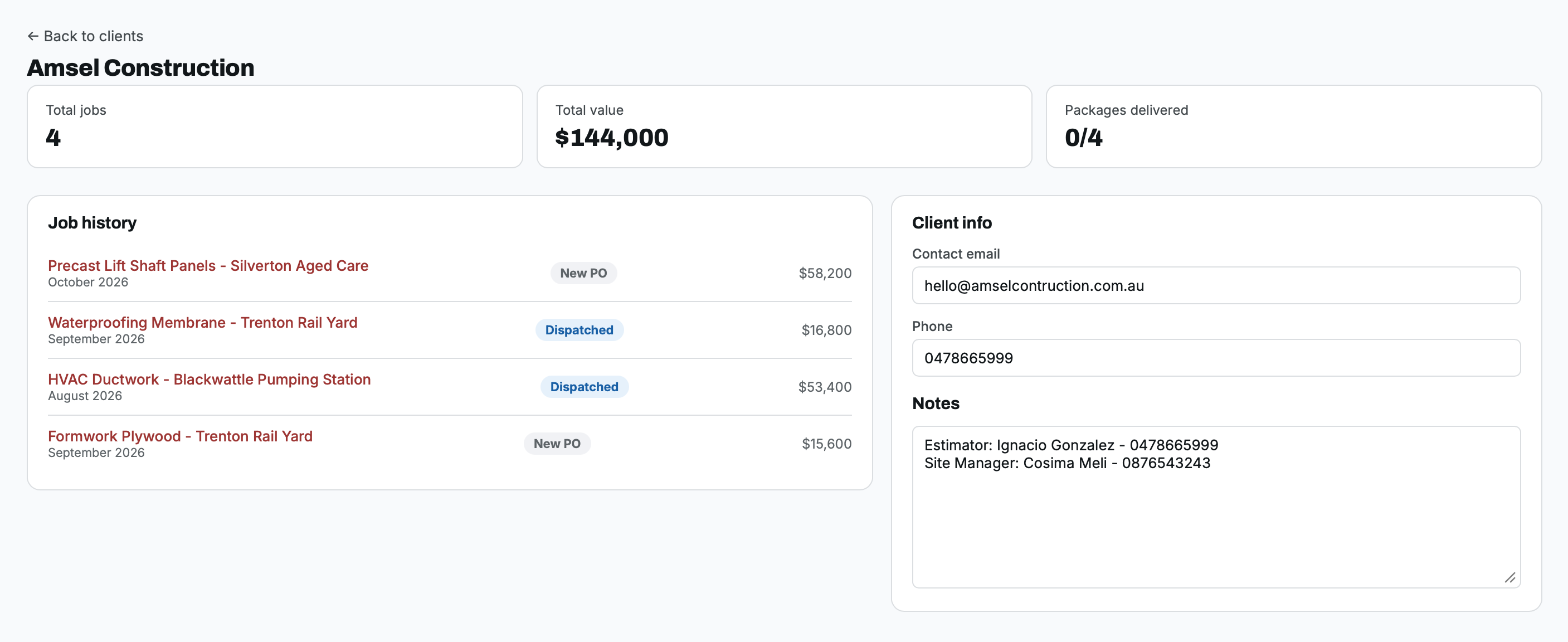
A mini-CRM, built automatically from your real job history -- no separate data entry. Every client gets a profile: total jobs, total value, how many packages have been delivered, the full job history, and contact details and notes your team can read before the next call.
PER CLIENT, AUTOMATICALLY CALCULATED
Total jobs
Total value
Packages delivered
Full job history
Contact & notes
06 Reports
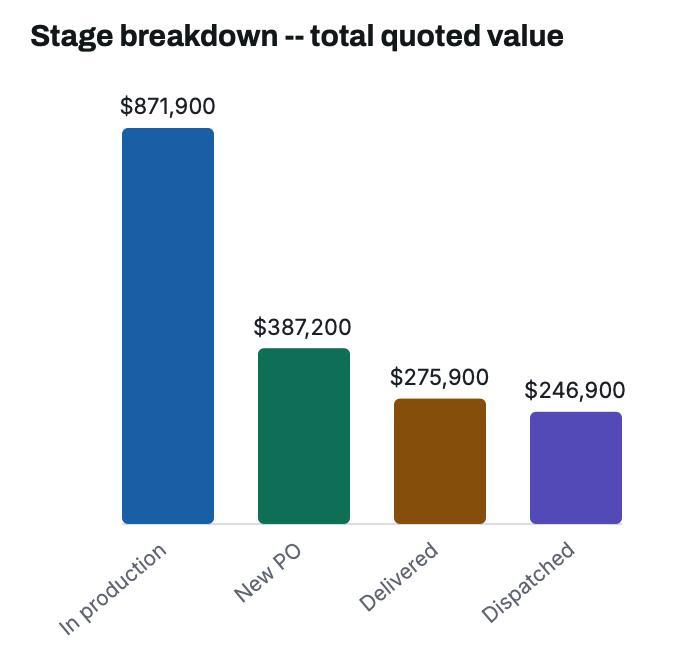
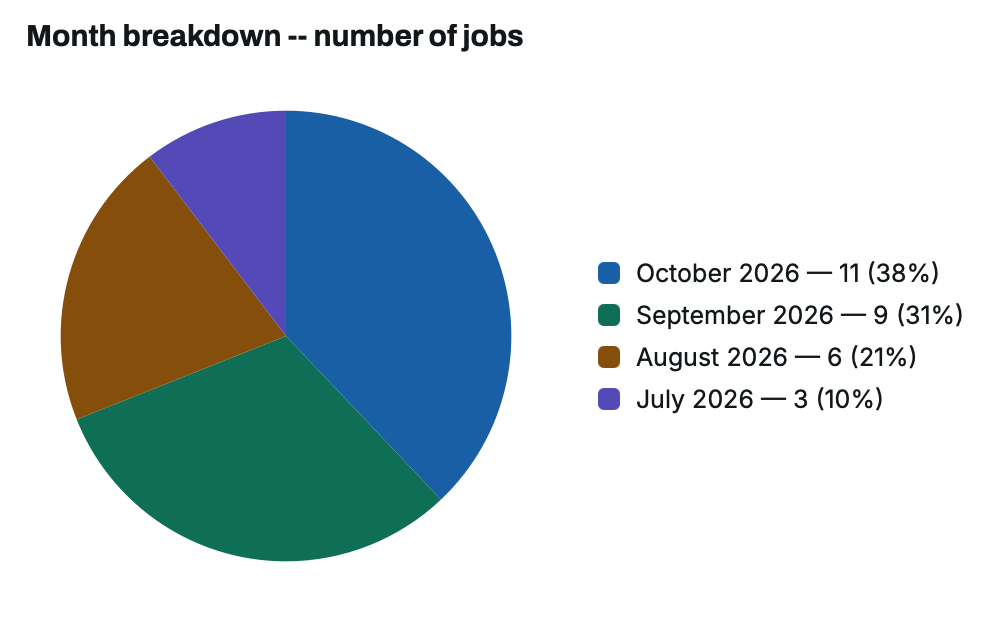
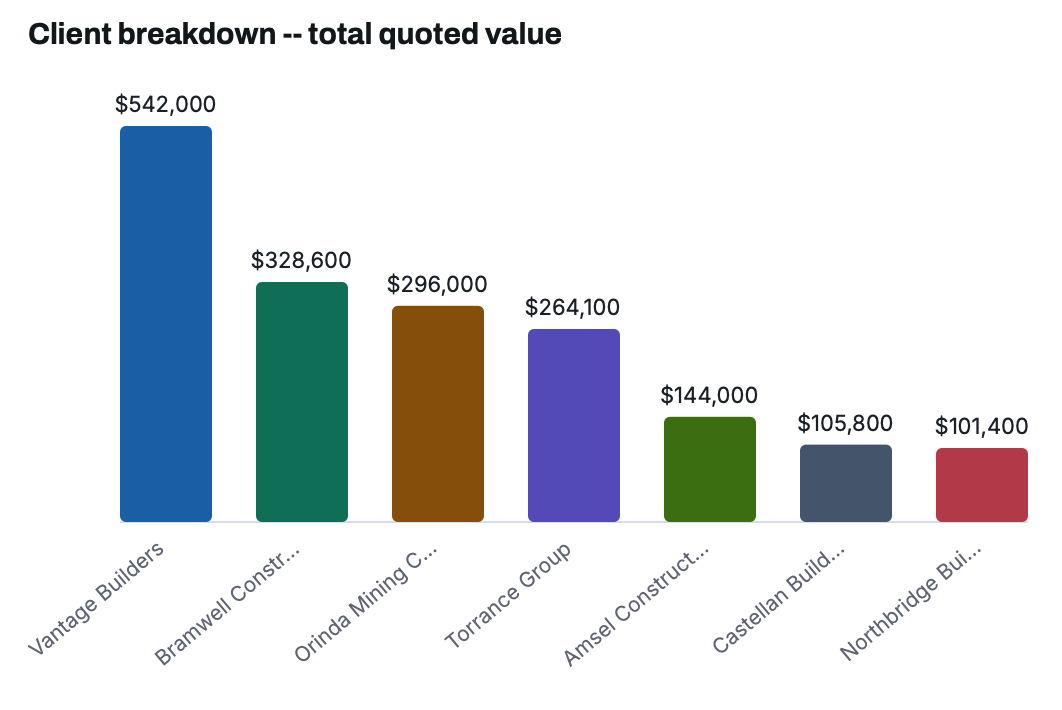
A self-serve report builder. Filter by month, stage or client, group the result however you want to compare it, choose count or total value, and get a live bar or pie chart plus the exact matching-jobs table underneath -- exportable, and never touches your underlying data.
FILTER & GROUP BY
Stage
Month
Client (searchable)
Metric: count or $ value
Bar or pie chart
Ready to see it with your own orders?

© 2026 TenderLog. Built for suppliers.